
Inside the lesson / Illustrated preview
One situation. Four ways to learn.
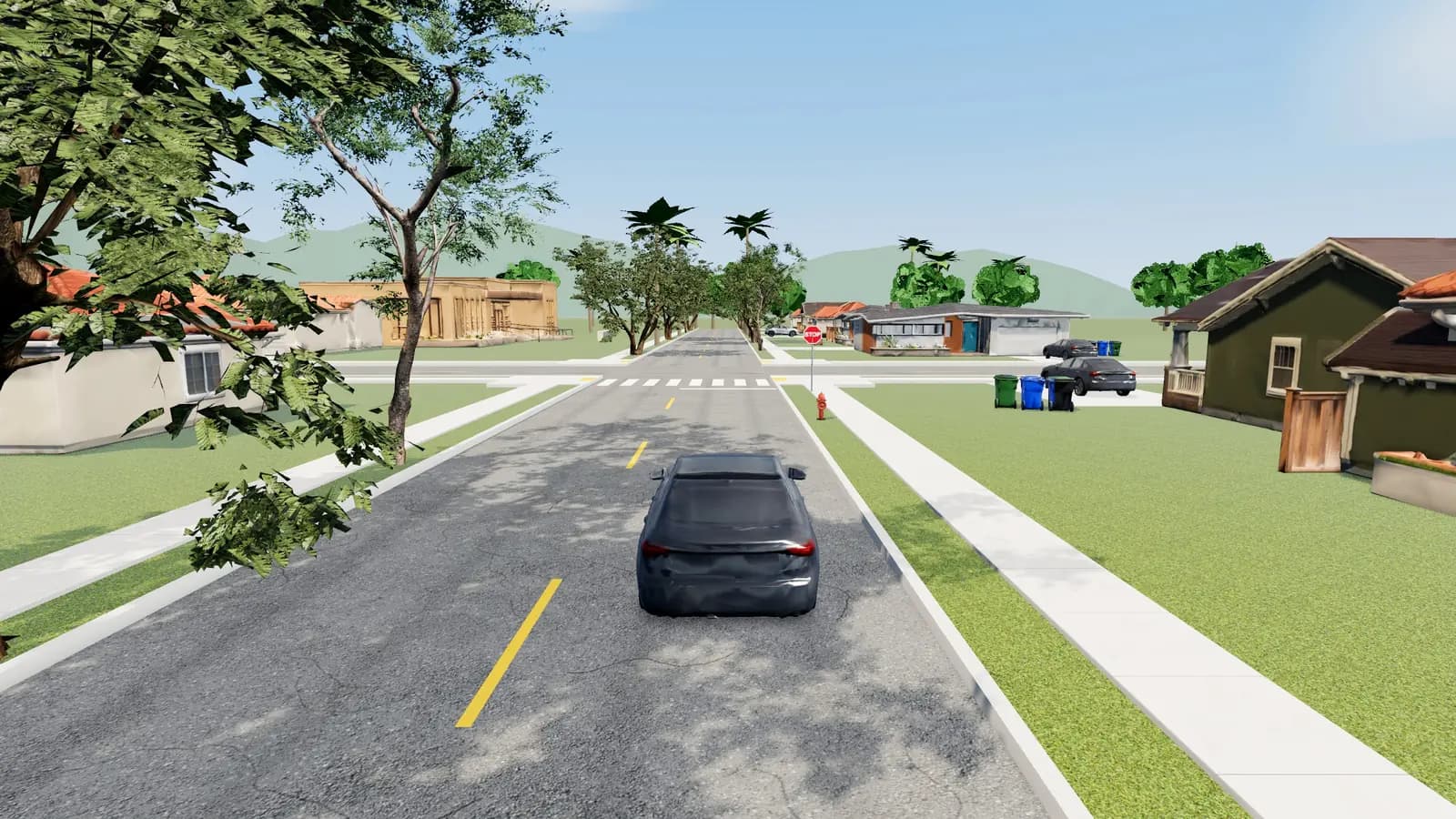
Drive
Notice the scene before the answer.
Find the stop line, signs and possible conflicts. The lesson starts with a road situation, so a rule has something concrete to attach to.
This preview explains the learning loop. It is not a driving assessment, state-approved driver education or behind-the-wheel credit.
Open DriveQuest lessons Sign-in may be required.Your next turn
Study for the state that tests you.
Choose where you will apply. Keep your handbook, practice and scoring rules together.
Handbook → Practice → Review
Ten separate state banks. Original handbook-based questions. No national test and no guaranteed pass.
Choose a state to see its format note and practice links. This selection stays on this page.
Four phases with different jobs
The DMV channel overview describes a learning loop: Drive → Decide → Check → Conditions. Each phase asks for a different kind of attention. The preview on this page explains that loop; it is not the interactive driving app and does not assess your driving ability.
Drive: enter a street scene and connect a handbook rule to a visible situation. Notice the intersection, lane position and traffic controls before acting. Driving through a scene provides context; merely reaching its end is not the learning goal. State selection and available scene layouts can affect what you see.
Decide: pause at a decision point and identify what controls your next move. Explain the choice before resuming. A useful explanation includes the relevant condition rather than only an answer letter. If the rule is unfamiliar, return to the handbook instead of treating repeated attempts as a substitute for understanding it.
Check: practice the checks prompted by the lesson, such as mirrors, shoulder checks and signals. The product gives feedback on in-app actions. This helps you notice the sequence you used; it is not an examiner observing your real vehicle, your physical checks or your behavior in unpredictable traffic.
Conditions: revisit speed and spacing when the scene introduces rain, fog or another change. Ask what information has changed and which handbook guidance applies. A decision that seemed straightforward in one scene should be reconsidered when the stated conditions differ. Do not assume that a simulated score measures real-world hazard perception.
Eight lessons, one focus at a time
These are the eight lesson titles in the channel curriculum. They describe learning topics, not eight licensing requirements or eight hours of supervised practice. Use the purpose column to choose a lesson connected to a recent written-practice mistake.
| Lesson | Title | What to pay attention to |
|---|---|---|
| 01 | First Stop | STOP signs and where the stop belongs in the scene |
| 02 | Who Goes First? | The right-of-way decision at an all-way stop |
| 03 | Read the Red | The signal, sign or arrow controlling a right turn |
| 04 | Yellow Is a Decision | The decision when a signal turns yellow |
| 05 | See What Is Hidden | Pedestrians and blocked views near crosswalks |
| 06 | Check Before You Move | Mirrors, blind spots and signals before a lane change |
| 07 | Turn Across the Bike Route | A right-turn decision beside a bike lane |
| 08 | Same Road, Different Risk | Speed and following distance when rain or fog changes the scene |
The state landing pages are the place to enter the product for your state. The curriculum titles do not promise identical streets or visuals in every state. Access to a lesson is also different from official approval of a course. Read the product’s access information and your agency’s licensing requirements separately.
California handbook base, with state differences
The lesson curriculum starts from the California Driver’s Handbook. The channel explains that selecting another covered state adds notes about differences in that state’s handbook. The base scene is therefore a starting point for learning, not permission to transfer every California answer to another jurisdiction.
Read a state callout before applying a number or exception. Then follow its source back to the destination handbook. The handbook differences guide illustrates why the state, condition and source need to stay attached to a study note. This explainer intentionally does not introduce another unsourced table of legal limits.
The ten state banks are California, Texas, Florida, New York, Pennsylvania, Illinois, Ohio, Georgia, North Carolina and Michigan. The bank for your application state remains the relevant written-practice destination. A visual example may make a shared concept easier to picture, but it does not make the official tests identical.
What a 3D completion does not give you
A lesson completion is a record of activity inside DriveQuest. It does not issue a learner permit, driver’s license, driver-education certificate, road-test pass or behind-the-wheel credit. It does not replace an approved course or supervised driving where your agency requires them.
For example, California DMV’s testing-process section treats the knowledge and behind-the-wheel tests as distinct requirements. The real driving test assesses driving in a vehicle; an online practice lesson cannot stand in for that process. Official source reviewed November 3, 2026.
The product is not a claim that every condition of real driving can be simulated. Real traffic involves uncertainty, vehicle handling and responsibilities beyond a guided scene. Use qualified instruction and follow your licensing agency for that stage. If your immediate question is what you may do after a written pass, read permit versus license.
Use a written mistake to choose a lesson
Begin with the current handbook, then a short diagnostic for your state. If a mistake comes from an unknown rule, reread the paragraph first. If you know the words but cannot keep track of positions or sequence, select the matching visual lesson. This avoids spending a whole session replaying a scene unrelated to the gap you need to repair.
Before the decision point, say what you expect to happen and why. After feedback, compare your explanation with the handbook. Write down the rule you misunderstood and the condition you overlooked. Then return to a fresh written question on that topic. The transfer back to words is a useful check on whether the visual lesson clarified the concept.
For an initial diagnostic, use California free practice, Texas free practice or Florida free practice only if it matches your state. These are short samples, not the complete official exam. The question-count reference distinguishes published formats from practice settings.
A parent or study partner can ask better questions
You do not need to give away an answer to help someone study. Ask what controls the decision, which fact might change it, and where the explanation appears in the handbook. Let the learner identify the uncertainty before discussing it. If the explanation depends on an unstated assumption, return to the question rather than arguing from a remembered video.
Keep the session calm and specific. “Explain the sign before moving” is a clearer study task than “drive perfectly.” Stop after a short review and return later with a new example. A guided practice session is still knowledge preparation; it is not an entry in an official supervised-driving log.
Continue into the app when it fits your study task
Use the state selector for written practice. Once you know the decision topic you want to review, you can open the 3D lesson app. Sign-in may be required, and lesson access follows the product’s current access rules. The illustrated phase preview here does not launch the engine or save lesson progress.
DriveQuest is independent handbook-based practice, not official DMV questions or state-approved instruction. No practice result guarantees a pass. Our focus here is ordinary passenger-vehicle knowledge preparation, not CDL or motorcycle training. For a complete sequence use how to pass; for an unsuccessful official attempt use what to do after failing.
Further pathway guides
Use the teen-and-parent playbook to separate official application tasks from family study, and the written-versus-road-test guide to choose the right next step. Requirements still come from your licensing agency; DriveQuest does not provide behind-the-wheel credit. CDL and motorcycle pathways are outside this product’s scope.
Pause. Apply. Understand.
Make the next call.
Original learning scenarios. Choose an answer, then explore the reasoning. These are not official examination questions or a scored readiness assessment.
From reading to doing
Your next three moves.
A personal planning checklist. Tick off each step as you finish it; progress lasts until you leave or reload this page.
A little more clarity
Questions, answered.
What are DriveQuest 3D lessons?
They are guided visual decision drills linked to handbook concepts. They complement written preparation and do not assess or certify your real driving ability.
What are the four phases?
Drive supplies the scene, Decide asks for a choice, Check gives feedback on in-app checks, and Conditions asks you to respond to changing circumstances.
How many lessons are in this curriculum?
Eight: First Stop; Who Goes First?; Read the Red; Yellow Is a Decision; See What Is Hidden; Check Before You Move; Turn Across the Bike Route; Same Road, Different Risk.
Are all lessons based on California rules?
The curriculum starts from the California handbook. Selecting another covered state adds handbook difference notes; use your state’s source for the rule that applies.
Does lesson completion count as behind-the-wheel practice?
No. It gives no behind-the-wheel credit, supervised-driving hours or official road-test result.
When should I use a scene instead of another quiz?
Use a scene when positions, sequence or changing conditions are the gap. Reread the handbook first if you do not yet know the rule, then return to written practice afterward.
Does this public preview save driving progress?
No. It explains the learning phases. The lesson app has a separate entry and sign-in may be required.
Are the lessons official DMV instruction?
DriveQuest is independent handbook-based practice, not official DMV questions or state-approved instruction. No practice result guarantees a pass.
Put your next step into focus.
Take what you have learned into your next study session. Use the linked practice and resources to decide where to focus.
Choose your state practiceEducational information and independent practice. Confirm current examination, education and licensing requirements with the linked official sources. Practice results do not guarantee an examination result or eligibility.