
In the fast-paced U.S. housing market of 2026, the traditional handshake and paper card exchange is rapidly being replaced by frictionless digital solutions. For real estate agents, the ability to instantly transfer contact information, active listings, and brokerage details into a prospect's phone is crucial for conversion.
This guide explores the mechanics of digital business cards, how to evaluate them, and why they are becoming the standard for modern networking.
What is a Digital Business Card?
Job-to-be-Done: A digital business card is a mobile-optimized profile that allows real estate professionals to instantly share their contact details, social media, and property listings with prospects via a QR code or unique URL.
Who It Is For: This tool is designed for residential and commercial real estate agents, brokers, and property managers who need a zero-friction method to ensure their contact information is saved correctly in a client's phone during open houses, networking events, or casual encounters.
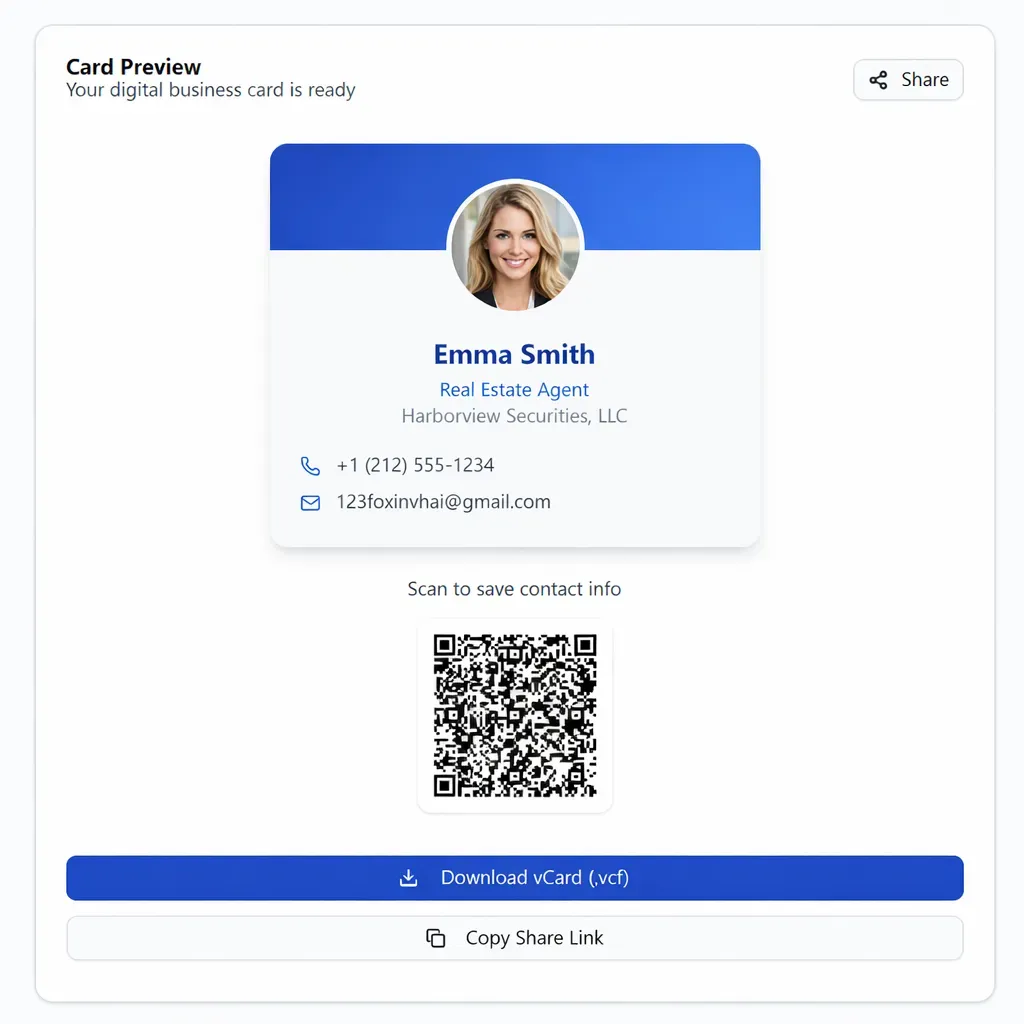
Buyer’s Checklist: Evaluating Digital Cards for Real Estate
Before choosing a platform, U.S. agents should evaluate tools based on the following criteria to ensure they meet the specific demands of the industry:
Ease of Lead Capture: Can the client save your contact info ("Add to Contacts") with a single tap?
Customization: Does it allow for professional headshots, brokerage logos, and custom color schemes to match your branding?
Speed & Mobile Usability: Does the card load instantly on both iOS and Android devices without requiring an app download?
Content Flexibility: Can you link directly to your active listings, Zillow/Realtor.com profiles, or appointment scheduling tools (like Calendly)?
Cost Efficiency: Is the core functionality free, or are essential features locked behind a monthly subscription?
Updateability: Can you change your phone number, brokerage, or active links without having to generate a new QR code?
Compliance: Does the design allow space for mandatory disclosures (e.g., "Equal Housing Opportunity" logos or brokerage license numbers)?
Full Name and Job Title (e.g., Realtor®, Broker Associate).
Brokerage Name and License Number (optional but recommended).
Contact Details (Phone, Email, Office Address).
Headshot and Brokerage Logo.
Links (Website, Active Listings, LinkedIn, Instagram).
Try the tool here: EstatePass Digital Business Card
Enter Professional Details: Input your name, title, and direct contact information. Ensure your email address is the one you check most frequently for leads.
Upload Branding: Upload a high-quality professional headshot and your brokerage’s logo. Visual trust is critical in real estate.
Add Strategic Links: Include a link to your "Current Listings" or a "Home Valuation" landing page rather than just a generic homepage.
Generate & Test: Click to generate your card. Test the QR code with your own phone camera to ensure the "Save Contact" button works smoothly.
Deploy: Save the QR code image to your phone’s "Favorites" album for quick access, or add the unique URL to your email signature and social media bios.
Paid SaaS Platforms: There are subscription-based services that offer team management dashboards, CRM integrations (like Salesforce or HubSpot), and NFC (Near Field Communication) plastic cards. These are powerful but often cost between $10 to $100 per month per user.
Generic QR Generators: Simple websites allow you to turn a URL into a QR code. While free, these often lack the "VCF" (contact file) functionality, meaning the client has to manually type your number to save it.
In-App Solutions: Some brokerage CRMs or association apps include a basic digital card. These are convenient but can be difficult to take with you if you switch brokerages in the future.
Spreadsheets/Manual Entry: Some agents still rely on typing their info into a prospect's phone manually. This is slow, prone to typos, and lacks professional polish.
The "Scan Back": After a prospect scans your card, ask them to text you their name immediately so you have their number too.
Open House Kiosk: Print your digital card QR code on a rigid sign and place it at the entry of your open house for touchless sign-ins.
Update Frequently: If you change brokerages or get a new headshot, update your digital card immediately to maintain compliance.
Broken Links: Linking to a sold listing or a 404 error page damages credibility instantly.
Low-Res Images: Using a blurry selfie instead of a professional headshot.
Ignoring Compliance: Forgetting to include your brokerage name or license number if your state requires it on all advertising.
Gatekeeping: Forcing users to fill out a captcha or a long form just to see your phone number.

Why EstatePass Digital Business Card?
The EstatePass Digital Business Card is a specialized tool built specifically for the workflow of U.S. real estate agents. Unlike generic contact generators, it focuses on the specific fields and speed required to capture leads in a competitive market.
What It Does:
It generates a professional, mobile-responsive profile and a high-resolution QR code. When scanned, it presents your professional persona and allows prospects to save your VCF (Virtual Contact File) instantly.
Required Inputs:
To create your card, you simply need:
Who It Fits Best:
This tool is ideal for agents who want a high-conversion, professional digital presence without paying monthly SaaS fees for enterprise features they may not use. It is particularly effective for agents focused on open houses and local community networking.
How to Use It: A Quick Walkthrough
Setting up your digital identity takes less than 5 minutes. Follow these steps to maximize the tool's effectiveness:
Alternatives to EstatePass
If you are exploring the broader market, here are the common categories of alternatives available to agents:

Best Practices & Common Mistakes
Best Practices:
Common Mistakes:

FAQ: Digital Business Cards for Realtors
1. Do clients need to download an app to view my card?
No. A good digital business card opens in the standard mobile web browser (Safari or Chrome) immediately after scanning.
2. Can I use this for both buyer and seller leads?
Yes. You can customize the links on your card. For example, include a "Free Home Valuation" link for sellers and a "Search Homes" link for buyers.
3. Is this better than a paper business card?
It is generally more effective because paper cards are often lost or thrown away. Digital cards go directly into the phone, which is where the client communicates. However, keeping a few paper cards for older demographics is still a smart backup.
4. How do I share the card if I am not in person?
You can share the unique URL via text message, email signature, or link-in-bio on social media.
5. Does the QR code expire?
With EstatePass Digital Business Card, the goal is to provide a stable link. However, always check the specific terms of any tool you use. Static QR codes do not expire, but dynamic ones (which allow content updates) depend on the platform hosting them.
6. Can I add my photo?
Yes, adding a photo is highly recommended as it helps the client remember who you are after meeting multiple agents.
7. Is it secure?
Digital business cards generally share public business information. You should not put private home addresses or sensitive personal data on them.
8. What happens if I change brokerages?
With a digital card, you can simply update the text and logo on the platform. You do not need to throw away boxes of printed cardstock.
9. Can I print the QR code on a flyer?
Absolutely. Adding the QR code to "Just Listed" flyers or open house sign-in sheets is a great way to drive offline traffic to your online profile.
10. Does this work on Android and iPhone?
Yes, the technology uses standard web protocols (HTTP/HTTPS) and VCF standards compatible with virtually all smartphones.
Compliance Note & Disclaimer
Compliance: Real estate advertising laws vary significantly by state. Most states require that any digital advertisement (which includes a digital business card) clearly display the name of your brokerage and often your license status. Ensure your digital card includes all disclosures required by your local Real Estate Commission and the National Association of REALTORS® Code of Ethics. Always display the Equal Housing Opportunity logo where appropriate.
Disclaimer: This article is for informational purposes only and does not constitute legal, financial, or tax advice. Features and availability of tools mentioned may change over time. Always verify compliance with your managing broker before deploying new marketing materials.